
In This Article
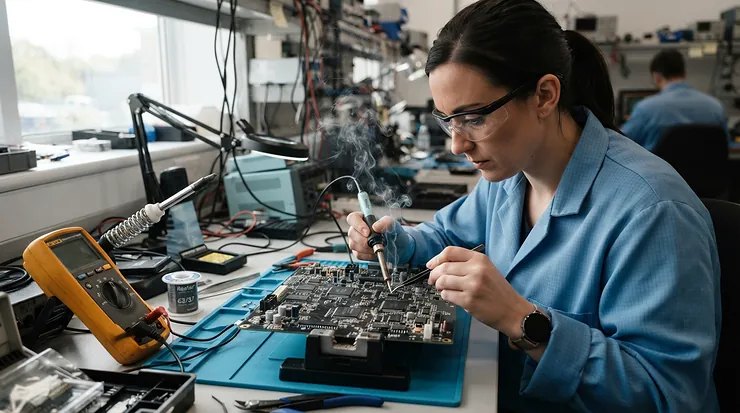
A digital soldering station for electronics repair is a temperature-controlled soldering system: an iron plus a base unit with a digital readout that lets you set, hold, and monitor tip temperature precisely. It protects delicate boards from overheating, handles lead-free alloys, and gives you repeatable joints that an unregulated pencil iron simply can’t.
Here’s the uncomfortable truth about that $12 pencil iron in your junk drawer: it has exactly one opinion about temperature, and it’s wrong for almost every job. Too hot, and you lift pads off a phone board. Too cold, and you get grainy, dull joints that fail months later. A proper station replaces guesswork with a number on a screen.
Choosing one is harder than it looks, though. Spec sheets read like alphabet soup: 65W, 75W, 130W, ±4°F, T12, T18, C245. Most roundups just rank products and move on. This guide does something different. It translates each spec into what happens at your bench, covers the five features that decide whether a station is pleasant or maddening (a digital soldering station with sleep mode, quick heat-up for rework, temperature stability, calibration offset, and standby mode), and matches seven real stations to specific buyers.
One honest note on method. The specs and features below come from manufacturer pages, distributor listings, user manuals, and published roundups. This article does not claim hands-on testing, and where individual customer reviews couldn’t be verified, it says so. It also explains why sleep behavior and tip choice matter, because the right solder alloy and tip temperature pairing changes which station suits you.
Quick Comparison: 7 Digital Soldering Stations at a Glance
| Product | Power | Temp Range | Standout Feature | Price Range | Best For |
|---|---|---|---|---|---|
| YIHUA 939D+ | 75W class | 200–480°C | Sleep mode, 3 memories | Under $50 | Budget beginners |
| KSGER T12 | Varies by kit | About 150–480°C | Fast T12 cartridges, OLED | $50–$110 | Tinkerers and modders |
| Hakko FX-888DX | 65W | 50–480°C | Rotary knob, parameter lock | $130–$150 | Students, small shops |
| Weller WE1010NA | 70W | 200–850°F | ±4°F stability, standby mode | $140–$250 | All-round repair |
| YIHUA 982-III | About 80W | 90–450°C | 3-second heat-up, C210 tips | Check current price | Fine-pitch work |
| JBC CD-2BQF | 130W | 90–450°C | 2-second heat-up to 350°C | $500–$650 | Daily professionals |
| Metcal MX-5210 | 80W | Set by tip cartridge | SmartHeat, hibernation | $700–$1,300 | Production-grade rework |
The table splits into three tiers. The YIHUA 939D+ and KSGER T12 are the cheap-and-cheerful end, the Hakko FX-888DX and Weller WE1010NA are the dependable middle, and the JBC CD-2BQF and Metcal MX-5210 are professional tools priced like it. Power ratings aren’t directly comparable, because a 130W cartridge system delivers heat at the tip very differently from a 65W ceramic-element pencil.
If your work is mostly through-hole and light SMD, the middle tier is where value peaks. If you do board-level repair every day, the faster recovery of the premium stations pays back in time saved.
💬 Just one click — help others make better buying decisions too!😊
Top 7 Digital Soldering Stations for Electronics Repair: Expert Analysis
1. YIHUA 939D+ — cheapest proper digital station with sleep mode
This is the entry ticket. The YIHUA 939D+ pairs a built-in transformer with a roughly 75W-class element and a 200–480°C range, so lead-free work is possible. Roundups consistently single it out as the budget pick that still counts as a real station.
The spec that matters most here is the automatic sleep feature: the iron drops its temperature when idle, which slows tip oxidation. For a beginner who forgets to switch off, that’s the difference between a tip lasting months and one that blackens in a week. Three stored temperature memories mean you can jump between leaded and lead-free settings without fiddling.
Who is it for? Hobbyists, students, and anyone repairing the occasional remote or router. Based on the spec comparison, what you give up is refinement: expect looser temperature stability under heavy thermal loads and less robust accessories than the pricier stations.
Reviewers in roundups describe it as dependable for everyday work but not a pick for daily professional use. Individual customer reviews weren’t verified for this article.
Pros:
- ✅ Sleep mode protects tips on a tiny budget
- ✅ Three memories speed up temperature switching
- ✅ Covers lead-free temperatures up to 480°C
Cons:
- ❌ Struggles on large ground planes
- ❌ Build quality below Hakko and Weller
Price range: under $50. Verdict: unbeatable entry value, with the usual compromises.
2. KSGER T12 — fast-heating cartridge tips for tinkerers
The KSGER T12 line uses T12-style cartridge tips, where the heater and sensor sit inside the tip itself. That design is why this family of stations heats quickly and recovers fast between joints. Kits typically come with an OLED display and a lightweight handle.
Here’s the catch, and it’s a big one for temperature stability. Experienced users on the EEVblog forum report that cheap generic T12 tips often behave inconsistently when you try to calibrate them. In practice, the station can be fine while the no-name tip adds drift. If you buy one, plan to run a quality tip and verify the reading with a thermometer.
For whom? Makers and keyboard modders who enjoy tuning their tools and want speed on a modest budget. It’s a poor fit for someone who wants a plug-in-and-forget experience.
The aggregated sentiment I found splits along those lines: enthusiasts praise the heat-up speed and value, while the recurring complaint is tip quality.
Pros:
- ✅ Rapid cartridge-style heating
- ✅ Large tip ecosystem and adjustable settings
- ✅ Compact OLED interface
Cons:
- ❌ Generic tips can drift in accuracy
- ❌ Quality varies between kits and sellers
Price range: roughly $50–$110 depending on kit. Verdict: great for tinkerers, risky for anyone who wants guaranteed consistency.
3. Hakko FX-888DX — the knob-and-lock station schools trust
The Hakko FX-888DX is the upgraded successor to the long-running FX-888D. It adds a rotary encoder (turn to set, press to confirm) and a parameter lock that prevents accidental changes to calibration. A ceramic heater and sensor give it a 50–480°C range with T18 tips.
Two details make it special for repair. First, the parameter lock means a classroom or shared bench can’t accidentally scramble the settings. Second, the manual describes an adjust mode where you enter the real measured tip temperature, which is a clean implementation of a calibration offset. Press, measure with a thermometer, correct, done. The official manual also documents up to five preset temperatures.
Who should buy it? Students, hobbyists graduating from a pencil iron, and small repair shops. Sleep and shutdown behavior should be confirmed in the manual’s parameter list before you rely on it for tip protection.
Roundups repeatedly call it the durable, industry-standard choice, and one reviewer says they recommend it to their electronics students.
Pros:
- ✅ Parameter lock protects calibration settings
- ✅ Clear tip-temperature correction mode
- ✅ Huge T18 tip selection
Cons:
- ❌ Lower power than 130W cartridge systems
- ❌ No fast cartridge-style tip swaps
Price range: about $130–$150. Verdict: the safe, long-lived bench default.
4. Weller WE1010NA — standby mode and rock-steady heat
The Weller WE1010NA is the quiet overachiever. It’s a 70W digital station with an LCD, a 200–850°F range, and a claimed temperature stability of ±4°F. The manufacturer says it’s about 40% more powerful than the older WES/WESD stations it replaced, which translates to faster heat-up and quicker recovery.
What stands out for repair is the standby mode plus auto setback: the station automatically lowers the tip temperature when the iron rests in its stand, and listings describe an automatic power-down after 99 minutes of inactivity. Password protection preserves your settings, and the tool-less tip change is a small joy when you swap between a fine conical tip and a chisel mid-job.
Who benefits most? The buyer who wants one station for everything from through-hole kits to board-level work. It’s also friendly for shared benches thanks to the password feature.
Several 2026 roundups name it their editor’s choice, citing stability and ergonomics. Verified individual reviews weren’t compiled for this article.
Pros:
- ✅ ±4°F stability claim for uniform joints
- ✅ Standby mode and auto-off protect tips
- ✅ Password-protected settings
Cons:
- ❌ Proprietary ET tips can cost more
- ❌ Not a hot-air or multi-channel system
Price range: roughly $140–$250 depending on seller. Verdict: the best-balanced all-rounder in this lineup.
5. YIHUA 982-III — 3-second heat-up for fine-pitch work
The YIHUA 982-III is the budget route into cartridge-style rework. Its listing describes a rapid 3-second heat-up, a 90–450°C range, and a full-color LCD, using C210-style tips, which are small enough for fine-pitch ICs and 0402 passives.
That makes it a candidate for a soldering station with quick heat-up for PCB rework. When you’re pulling a QFN or reflowing a connector pin, the time between touching the iron and having usable heat directly affects how much stress the board takes. Fast heat-up also means the iron can idle cold between joints, which pairs nicely with sleep-style tip protection.
For whom? Phone, tablet, and console repairers who spend hours under a microscope. Expect a smaller handle and lower thermal mass than the Hakko or Weller. That’s an advantage on delicate joints and a limitation on big ground planes.
Review sentiment I located was mostly distributor-written. Treat marketing figures as claims to verify.
Pros:
- ✅ Very fast heat-up on small tips
- ✅ Precision handle for micro work
- ✅ Wide, easy-to-read display
Cons:
- ❌ Limited mass for heavy joints
- ❌ US pricing varies by seller
Price range: check current price. Verdict: strong value for micro-repair.
6. JBC CD-2BQF — a 2-second sprint to 350°C
The JBC CD-2BQF is where professional soldering starts. Its heater lives inside the C245 cartridge, so heat reaches the joint almost instantly. Distributor sheets cite a 2-second rise to 350°C and 130W station power, and the station supports three editable temperature levels, parameter locking, and a temperature calibration function.
The headline feature is JBC’s sleep and hibernation behavior. When the iron sits in its stand, the station detects it and drops the tip below solder’s melting point (sleep), then shuts the tip down completely after a longer idle (hibernation). JBC says this extends tip life up to five times. Faster recovery also lets you use lower temperatures, which is kinder to boards.
Who needs this? Technicians who solder every day and bill by the hour. Tips are sold separately, and 230V versions dominate listings, so confirm voltage before buying.
JBC’s own claims drive the praise here, and the price is the consistent hesitation.
Pros:
- ✅ Near-instant heat-up and fast recovery
- ✅ Sleep and hibernation extend tip life
- ✅ Locks, limits, and temperature levels
Cons:
- ❌ Premium price, tips sold separately
- ❌ Voltage and availability vary by seller
Price range: roughly $500–$650 before tips. Verdict: worth it only if you solder daily.
7. Metcal MX-5210 — SmartHeat power for stubborn boards
The Metcal MX-5210 works differently from every other station here. Metcal’s SmartHeat tips regulate themselves, so temperature is set by the tip cartridge you choose rather than by a dial. The MX-5200 series is rated at 80W with dual simultaneous ports, and the platform lists hibernation, stand-by, and parameter interlock functions.
That design has an interesting implication: with no temperature knob, a calibration offset is largely a non-issue. The tip itself defines the working temperature. The trade-off is flexibility. Different temperatures mean different tips, and each is an extra purchase.
Metcal’s data sheet says the supercharged supply is aimed at high-mass components, multilayer boards, and lead-free solders. Who should consider it? Rework benches and production-style environments where consistent heat on heavy ground planes matters more than adjustability.
Distributor descriptions are enthusiastic, but independent review data was thin, so I’m not citing a rating.
Pros:
- ✅ Strong power for multilayer boards
- ✅ Dual-port expandability
- ✅ Hibernation and stand-by functions
Cons:
- ❌ Temperature locked to tip choice
- ❌ Highest cost of the group
Price range: about $700–$1,300 depending on configuration. Verdict: a specialist’s tool.
How to Choose a Digital Soldering Station for Electronics Repair
Pick by matching these seven criteria to your actual work.
- Define your typical joint. Fine SMD and phone boards favor small, fast tips. Big ground planes and connectors favor higher power and more thermal mass.
- Check real power, not just wattage. A 65W ceramic element and a 130W cartridge system are very different animals. Look at recovery behavior and tip design, not just the number.
- Confirm the temperature range covers lead-free. Lead-free hand soldering often runs around 350–400°C at the tip, so a ceiling of 450–480°C gives headroom.
- Prioritize sleep or standby behavior. A digital soldering station with sleep mode protects tips when you get distracted.
- Look for calibration access. You want a clear calibration offset setting so you can correct the display against a real thermometer.
- Check the tip ecosystem. Cheap stations with obscure tips cost more in the long run than slightly pricier ones with plentiful tips.
- Verify voltage and ESD safety. Make sure the model matches your outlet and, for modern boards, is ESD safe.
If you’re torn between two stations, choose the one whose tips you can easily buy locally. Tips are the consumable that decides total cost.
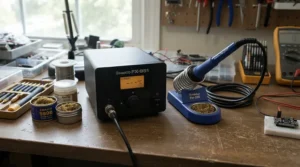
Digital Soldering Station with Sleep Mode: Why It Matters More Than You Think
Sleep mode sounds like a convenience feature. It’s actually a cost-saving one. A hot, idle tip oxidizes rapidly, and oxidized tips refuse to wet solder, which leads to the classic bench frustration: the iron is hot, but the solder balls up like mercury.
A digital soldering station with sleep mode lowers the tip temperature when it senses inactivity, either by detecting the iron in its stand or by timing out. JBC describes sleep as dropping the tip below solder’s melting point to prevent the tip’s iron plating from dissolving into molten solder. Weller’s WE1010NA pairs standby mode with auto setback and a 99-minute auto power-down. The YIHUA 939D+ lists an automatic sleep feature at a budget price.
Practical impact: on a day with lots of interruptions (customer questions, parts lookups, coffee), tips last noticeably longer. Over a year, that’s several replacement tips saved, and a fire hazard reduced.
What to look for: adjustable timing and a sleep temperature you can set. Fixed settings are fine for hobbyists, but professionals want control.
Soldering Station with Quick Heat-Up for PCB Rework: What “Fast” Really Means
Marketing loves a seconds-to-temperature claim. A soldering station with quick heat-up for PCB rework earns its keep in two ways, and only one of them is about waiting.
The first is cold-start time: how long from switch-on to usable. Cartridge systems win decisively here, with JBC CD-2BQF distributors citing about 2 seconds to 350°C and YIHUA 982-III listings claiming about 3 seconds. Ceramic-element stations like the Hakko FX-888DX and Weller WE1010NA take longer but offer more thermal mass.
The second is thermal recovery: how fast the tip bounces back after touching a large pad. This is what actually protects your board, because quick recovery lets you work at a lower setpoint without stalling.
For rework on dense boards, prioritize recovery over cold start. A station that heats in 3 seconds but sags on a ground plane will make you push the temperature up, which defeats the purpose.
Pair quick heat with a sleep feature and you can let the iron idle cool without penalty. That combination is the real value of cartridge-style systems.
Temperature Stability: Reading the Numbers Without Being Fooled
Every brand quotes some form of temperature stability. Here’s how to read it.
The Weller WE1010NA claims ±4°F. Quick 236 listings cite ±2°C, and distributors of the Hakko FX-888DX cite roughly ±1°C. JBC’s CDE sibling lists an idle stability of ±1.5°C and an accuracy of ±3%. These figures come from different test conditions (still air, idle, unloaded), so they aren’t directly comparable.
What the spec sheet won’t tell you: idle stability describes how steady the tip sits while doing nothing. Real-world stability is about how little the temperature dips when you touch a pad, and that depends on power, tip mass, and sensor placement.
Here’s the practical takeaway. Stability claims tell you the control loop is competent. Recovery under load tells you whether it’s suitable for your joints. If you solder mostly small parts, either will do. If you work on ground planes, favor higher-power systems.
Verify anything important with a tip thermometer. Displayed temperature and true tip temperature can disagree, which brings us to calibration.
Calibration Offset: Fixing a Tip That Lies to You
Every station reports a temperature, and every tip has its own quirks. A calibration offset is a correction you apply so the displayed number matches reality. It matters because tips wear, get replaced, and vary from unit to unit, especially on budget systems.
The Hakko FX-888DX makes this straightforward: press and hold the knob to enter adjust mode, then enter the actual measured temperature. The station stores the offset. JBC’s compact stations list a temperature calibration function, and the CDE sibling cites an adjustment range of ±50°C through its menu.
The workflow is simple:
- Set the station to 350°C.
- Let it stabilize for a couple of minutes.
- Measure with a thermocouple tip thermometer.
- Enter the difference as an offset.
- Re-check after any tip change.
Skip the calibration if you use a Metcal-style system where the tip defines the temperature, though occasional verification still makes sense. And note the KSGER T12 caveat from earlier: inconsistent generic tips can undermine calibration, so fix the tip before blaming the settings.
Standby Mode vs Sleep Mode vs Auto-Off: What’s the Difference?
These terms get used loosely, so here’s the plain-English version. Standby mode lowers temperature after a short idle. Sleep mode (JBC’s version) triggers when the iron rests in its stand. Hibernation or auto-off fully shuts the heater after a long idle.
| Product | Idle Behavior | Calibration Access | Best For |
|---|---|---|---|
| YIHUA 939D+ | Automatic sleep listed | Basic adjustments | Beginners |
| Hakko FX-888DX | Check manual for sleep settings | Adjust mode, parameter lock | Shared benches |
| Weller WE1010NA | Standby mode, auto setback, 99-min off | Password-protected settings | All-round repair |
| JBC CD-2BQF | Sleep and hibernation | Calibration function, locks | Daily pros |
| Metcal MX-5210 | Stand-by and hibernation | Temperature set by tip | Rework benches |
The standout here is JBC’s two-stage approach, which separates a quick tip-protecting drop from a full shutdown. Weller’s setup covers most of that with simpler controls.
For a home bench, a single reliable standby mode is plenty. For a professional bench, two stages and adjustable timers are worth paying for.
✨ Don’t Miss These Exclusive Deals!
🔍 Take your repair bench to the next level with these carefully selected stations. Click on any highlighted product to check current pricing and availability. The right station will help you create clean, reliable joints on every board!
Digital Soldering Station vs Traditional Alternatives
| Option | Temperature Control | Typical Use | Best For |
|---|---|---|---|
| Fixed-wattage pencil iron | None | Wires, crude jobs | Not recommended for boards |
| Analog dial station | Approximate | Basic hobby work | Casual tinkering |
| Digital station (Weller WE1010NA, Hakko FX-888DX) | Closed-loop, displayed | Everyday repair | Most buyers |
| USB-powered iron | Digital, portable | Field repair | Travel kits |
A fixed pencil iron has no feedback loop, so its tip temperature drifts with every touch. Analog stations improve on that but can’t tell you the real number. A digital station closes the loop and displays the result, which is why it suits electronics repair.
USB irons are excellent for field work, but they trade bench power and recovery for portability.
Long-Term Cost & Maintenance
| Tier | Example | Upfront Range | Ongoing Cost Driver | Best For |
|---|---|---|---|---|
| Budget | YIHUA 939D+ | Under $50 | Tips wear faster | Learners |
| Mid | Weller WE1010NA | $140–$250 | ET tips | Home pros |
| Premium | JBC CD-2BQF | $500–$650 | Cartridge costs | Daily use |
The sticker price is only part of the story. A cheap station that eats a tip every month costs more than a mid-range one whose tips last a year.
Maintenance is small but critical: keep the tip tinned, avoid leaving the iron at high temperature unattended, and replace worn tips promptly. A station with reliable sleep behavior extends all of this. Over several years, the mid-tier stations usually deliver the best cost per joint.
Safety, Regulations, and Fumes
Two hazards deserve attention: heat and fumes. Universities such as Harvard’s EHS office advise using a fire-resistant work surface, keeping fumes out of your breathing zone, and checking that boards and components can withstand lead-free temperatures.
Leaded solder adds a handwashing and clean-up requirement, since lead contamination spreads through dust and skin contact. Lead-free solder runs hotter and uses fluxes that can be more irritating when they vaporize.
Practical rules:
- Use a fume extractor close to the joint.
- Wash hands after handling leaded solder.
- Never leave a hot iron unattended; use a station’s auto-shutdown as a backup, not a plan.
- Choose ESD-safe equipment for modern electronics.
Practical Usage Guide: Your First 30 Days
Day 1: set up properly. Place the station on a heat-resistant surface, install a fume extractor, and set the temperature to the lowest value that melts your solder cleanly.
Week 1: learn the tip. Tin the tip every session, wipe it on brass wool rather than a wet sponge when possible (thermal shock matters), and park the iron in its stand whenever you pause.
Week 2: calibrate. Use a tip thermometer and apply a calibration offset if the display disagrees with reality.
Common first-month mistakes:
- Cranking the temperature instead of switching to a larger tip
- Leaving the iron idle on a hot setting
- Skipping flux on rework
- Using a worn tip because “it still works”
Optimization trick: store separate presets for leaded and lead-free work so you never rework a joint at the wrong temperature.
Real-World Scenarios: Matching Stations to People
The college student. A tight budget, occasional kit builds, a dorm desk. The YIHUA 939D+ covers lead-free temperatures with sleep protection and costs little. Frequency: a few hours per month.
The weekend phone-repair hobbyist. Frequent micro-soldering, a microscope, and patience. The YIHUA 982-III‘s fast heat-up and small tips suit this work. Budget: moderate.
The one-person repair shop. Daily board-level work and customers waiting. The Weller WE1010NA or Hakko FX-888DX offers reliability at a fair price; if volume justifies it, the JBC CD-2BQF buys speed and tip life.
Each scenario comes down to frequency of use, board type, and how much an hour of your time is worth.
Problem → Solution Guide
Problem: the solder balls up and won’t flow. The tip is oxidized or the temperature is too low. Re-tin the tip and raise the temperature slightly. A tip cleaner helps.
Problem: pads lift during rework. You’re too hot or dwelling too long. Drop the temperature, add flux, and use a tip with more contact area.
Problem: the display says 350°C but the joint behaves like 300°C. Apply a calibration offset after measuring with a thermometer.
Problem: tips die quickly. Use the station’s sleep or standby mode, and avoid running at maximum temperature.
Problem: unstable readings on a budget station. Suspect the tip first. This is especially common with generic T12-style tips.
FAQ
❓ What temperature should I set for lead-free solder on circuit boards?
❓ Is a hot air station necessary for PCB rework?
❓ How often should I replace soldering iron tips?
❓ Are cheap digital stations safe for electronics?
❓ Can I use one station for leaded and lead-free solder?
Conclusion
Choosing a digital soldering station for electronics repair comes down to matching the tool to your joints, your hours, and your patience. The YIHUA 939D+ is the smart entry point. The Hakko FX-888DX and Weller WE1010NA form the dependable center, with the Weller’s standby mode and ±4°F claim making it the best balanced of the group. The YIHUA 982-III and KSGER T12 serve fine-pitch tinkerers, while the JBC CD-2BQF and Metcal MX-5210 are for people whose livelihood is a hot tip.
Whatever you choose, the features that protect your boards are the same: reliable temperature stability, an accessible calibration offset, and sleep or standby behavior that guards your tips. Buy for those, learn your tip, and the joints take care of themselves.
✨ Ready to upgrade your bench? Check current prices, pick your station, and start soldering with confidence! 🔧🔥
Recommended for You
- Soldering Station With Extra Tips for Repair Shops: 7 Best in 2026
- Analog Soldering Station for Beginners: 7 Proven Picks (2026)
- T12 Soldering Station for Phone Repair: 7 Best Picks 2026
Disclaimer: This article contains affiliate links. As an Amazon Associate, I earn from qualifying purchases. If you purchase products through these links, we may earn a small commission at no additional cost to you.
✨ Found this helpful? Share it with your friends! 💬🤗
