
In This Article
An analog soldering station for beginners is a temperature-adjustable soldering setup (a control base, a pencil-style iron, and a stand) that you tune with a physical dial instead of buttons and menus. It brings the tip to a steady working heat, so new makers can concentrate on technique rather than wrestling with a cold, underpowered iron.
Walk into any electronics aisle in 2026 and the shelves glitter with LCD screens, preset buttons, and sleep timers. So why would a first-timer reach for a plain old knob? Because a knob is honest. Turn it, feel the iron respond, learn what “too hot” smells like. No firmware, no menu diving, just cause and effect. That’s the fastest teacher a beginner can get.
This guide covers seven real stations, from the barebones to the benchmark. A few are true analog. A couple pair a dial with a digital readout. One is fully digital, so you can see exactly what stepping up buys you. Along the way you’ll get straight talk on the analog vs digital soldering station debate, what a lead-free soldering station for hobby workshops really needs, and why ESD safe grounding deserves a spot on your checklist.
One honest note before we dive in: I haven’t had these units on my bench. Everything below comes from spec-sheet analysis and the patterns reviewers keep reporting, which is still plenty to help you buy smarter. If you want the textbook background on how soldering joins metals with a filler alloy, Wikipedia’s overview is a handy primer. And because prices drift constantly, every figure here is a range. Always check the current price before you buy.
Quick Comparison: The Best Analog Soldering Station for Beginners at a Glance
| Product | Control Type | Power | Temp Range | ESD Safe | Best For |
|---|---|---|---|---|---|
| Weller WLC100 | Analog power dial | 5–40W | Up to ~900°F | Not advertised | Tight budgets, light kit building |
| Weller WES51 | Analog, closed-loop dial | 50W | 350–850°F | Yes | Safety-minded beginners who want pro build |
| Yihua 936A | Analog dial | ~60W | 200–480°C | Antistatic (listed) | Budget-first learners |
| Yihua 937D+ | Dial + LED readout | 60W | 200–480°C | Yes (listed) | Beginners who want a dial and a number |
| Hakko FX-601 | Analog dial iron (no base) | 67W | 240–540°C | Not advertised | Portability, stained glass, higher heat |
| Hakko FX-888DX | Digital rotary encoder | 65W iron | 120–899°F | Yes | The “step-up” benchmark |
| X-Tronic 3020-XTS | Digital LED | 75W | Check listing | Yes (listed) | Bundle-hungry buyers |
Look at that table and a pattern jumps out. Wattage climbs as you move down the list, but wattage is about heat recovery, not how hot the tip can get. The Weller WLC100 gives up headroom for simplicity, while the Hakko FX-601 and Hakko FX-888DX buy you extra range and stability. For most first projects, the sweet spot sits around 50–65W with a ceramic element. That’s why the middle of this lineup deserves your closest look.
💬 Just one click — help others make better buying decisions too!😊
Top 7 Picks for an Analog Soldering Station for Beginners: Expert Analysis
1. Weller WLC100 — the barebones analog classic
Think of the Weller WLC100 as a bicycle with training wheels: simple, forgiving, and just capable enough to build confidence. Its dial runs from 1 to 5, mapping to roughly 5–40W of power with a ceiling near 900°F (482°C). That sounds modest, and it is, yet it covers kit builds, guitar pedals, and small repairs without drama. The included ST3 tip, sponge, and built-in safety stand mean you can plug in and start the same afternoon.
Here’s the catch worth understanding. The Weller WLC100 is a power dial, not a true thermostat. SparkFun’s product notes compare it to a stove-burner knob: you choose how much energy goes in, not the exact tip temperature. In practice the tip sags when you touch big copper and recovers slowly, so you learn to read the joint instead of trusting a number. That’s a decent lesson, though it makes lead-free work harder.
The small review pool I could find is positive about value. Buyers mention the basics (stand, switch, regulator), and one reports a setting around 4 working well on a dense five-inch board. Treat that as a hint, not a verdict.
Pros:
- ✅ Dead-simple 1-to-5 dial with nothing to learn
- ✅ Safety stand and sponge included in the box
- ✅ Replaceable ST-series tips from a trusted brand
Cons:
- ❌ Power control, not true temperature regulation
- ❌ 40W ceiling struggles with big joints and lead-free
Expect roughly the $60–$80 range at the time of research. It’s a fair first step if your budget is tight and your projects are small.
2. Weller WES51 — closed-loop analog with ESD protection
If the Weller WLC100 is training wheels, the Weller WES51 is the real bike. This 50W analog station spans 350–850°F, and Weller’s spec sheet lists roughly ±9°F accuracy with ±10°F stability. That’s a thermostat doing its job, not a simple power knob. The station steps 120V down to a 24V output, and the pencil is ESD safe with a silicone cord that shrugs off stray tip contact. A temperature lockout and an automatic power-down after 99 minutes add guardrails a forgetful beginner will appreciate.
What does that mean on the bench? The tip holds its heat when you touch a heavy ground pad, so joints flow instead of stalling. Because the heater and sensor sit together in the pencil, recovery is quick, which is exactly what makes a dial feel predictable. The trade-off is availability. Distributors such as Jameco note it’s being replaced by the digital Weller WE1010NA, so treat stock and pricing as a moving target.
Reviewer chatter on electronics forums tends to describe Weller’s analog stations as long-lived workhorses, though plenty of owners also point out that the money could buy a digital unit now. Sentiment skews respectful, not rapturous.
Pros:
- ✅ True closed-loop control with published accuracy specs
- ✅ ESD safe pencil and low-voltage 24V output
- ✅ Built to last years of regular hobby use
Cons:
- ❌ Being phased out, so stock can be thin
- ❌ Priced well above budget clones
Pricing varies wildly by seller, roughly the $150–$300 range. It’s worth it only if you find it at the lower end.
3. Yihua 936A — the budget Hakko-936 lookalike
Meet the knob-and-sponge champion of tight budgets. The Yihua 936A descends from the legendary Hakko 936 layout and typically lists around 60W with a 200–480°C (392–896°F) dial and an antistatic design. A European retailer notes it heats faster than the basic 936, which lets you work at lower, safer temperatures. EEVblog’s well-known coverage of the original Yihua 936 framed it as about the cheapest temperature-controlled station you could buy, and the 936A family is its upgraded sibling.
The honest analysis: this is the “learn on it, outgrow it” pick. A dial plus a ceramic element teaches temperature feel better than a fixed-wattage pencil ever could. Replacement tips and elements are widely sold, which keeps ownership cheap. The risk is quality variance. Fakespot-style review summaries and forum threads mention near-identical clones of uneven quality, so buy from reputable sellers and verify your specific version (newer “936A II” kits advertise bundled accessories, and listings differ on display type).
Reviewers broadly call it good value for the money, with the usual caveat that grounding and calibration claims on budget gear deserve a quick check.
Pros:
- ✅ Real dial control at a rock-bottom price
- ✅ Plentiful, cheap replacement tips and elements
- ✅ Fast heat-up compared with basic 936 units
Cons:
- ❌ Clone-quality variance between sellers
- ❌ Dial accuracy needs a thermometer check
Look at roughly the $35–$50 range at the time of research. It’s a strong value verdict for first-time buyers who’ll verify the unit.
4. Yihua 937D+ — dial feel with a digital readout
The Yihua 937D+ answers the beginner’s eternal question: “but what temperature is it actually at?” It keeps a physical temperature knob, then adds an LED that shows working temperature. The vendor spec lists a 60W 907D-style handle, a 200–480°C range, tip earth impedance below 2Ω, and ground voltage spikes under 2mV. Those last two numbers matter, because they’re the language of ESD safe grounding.
Here’s what that hybrid really changes. You still get the instant, one-handed adjustment of a dial, but you can stop guessing about where “3 o’clock” lands. For lead-free work or sensitive chips, that readout is a quiet confidence booster. Be careful, though: the spec above comes from a listing for the 220V model, so confirm figures for the 120V version you’re buying.
Review data for this exact model is thinner than for the big-name stations. Enthusiast threads on EEVblog discuss it enough to show real community interest, and the wish lists there (an idle sleep timer, for example) hint that the stock unit keeps things basic. Consider that an honest limitation, not a defect.
Pros:
- ✅ Knob speed with an LED temperature readout
- ✅ Listed tip grounding specs under 2Ω
- ✅ 60W element handles most hobby work
Cons:
- ❌ Less review data than the big-name picks
- ❌ Spec figures vary by regional version
Typical pricing sits in the budget-to-lower-mid tier, so check the current price. It’s a smart pick when you want a dial and a number together.
5. Hakko FX-601 — the portable dial iron for extra heat
Here’s the odd duck, and an instructive one. The Hakko FX-601 is a dial-controlled iron, not a full station. There’s no base unit, stand, or sponge in the box, just the iron, a lock key, and a T19-D5 tip. What you get is a 67W ceramic-element iron on 120V with a 240–540°C (464–1004°F) dial, ±1°C idle stability, and ±10°C accuracy. A temperature sensor sits right in the heater, which is why recovery stays quick.
So who’s it for? Anyone whose projects need more heat than a 40W pencil can muster, or who values a slim, lightweight handpiece. The lock key stops accidental dial bumps, which is a surprisingly practical beginner feature. Retailers pitch it hard to stained glass hobbyists, and its 540°C ceiling leaves comfortable room for lead-free solder. Add a separate stand and brass cleaner and you’ve built a tidy analog setup. Its cheaper cousin, the FX-600, shares tips with the Hakko T18 line.
Sentiment is mostly retailer-driven praise and resale-market comments calling units “very solid,” so I’d call the evidence encouraging but not exhaustive.
Pros:
- ✅ Wide 240–540°C dial range for lead-free
- ✅ Lock key prevents accidental setting changes
- ✅ Light handpiece with fast ceramic recovery
Cons:
- ❌ Not a station: stand and sponge cost extra
- ❌ ESD safety isn’t advertised for this model
Retail typically falls in the $80–$100 range. It’s good value if you already own a stand, and a poor one if you need an all-in-one kit.
6. Hakko FX-888DX — the digital benchmark to measure everything against
Why include a digital station in an analog roundup? Because the Hakko FX-888DX shows exactly what you’re trading away. The iron is a 65W FX-8801, the station draws up to 100W at 120V, and the range runs 120–899°F (50–480°C) with ±1.8°F stability. It’s ESD safe, uses T18 tips, stores five presets, and swaps the old push buttons for a rotary encoder. A parameter lock stops you from accidentally changing calibration. An optional FX-8806 iron lifts output to 95W.
Compare that rotary knob to an analog dial and you’ll spot the real difference: repeatability. The same number gives the same temperature every time, which is a gift when you’re juggling tip sizes and solder alloys. The unit is also compact at roughly 3.9 × 4.7 × 4.7 inches and 2.6 lb. One longtime owner of the analog predecessor, the FX-888, reports it handling everything on their bench since 2012, and roundups consistently rank the DX version among the top overall picks.
Pros:
- ✅ Tight ±1.8°F stability with closed-loop sensing
- ✅ ESD safe with T18 tip ecosystem and presets
- ✅ Compact footprint and excellent long-term reputation
Cons:
- ❌ Costs two to three times a budget analog
- ❌ Digital menus add a small learning curve
Expect roughly the $125–$150 range. As a buy-once-cry-once option, it’s compelling, though overkill if you solder twice a year.
7. X-Tronic 3020-XTS — the accessory-packed digital value
The X-Tronic 3020-XTS is the “everything in one box” pick. Listings describe a 75W LED digital station with antistatic design, a 10-minute sleep function, a C/F switch, and temperature compensation, usually bundled with helping hands, extra tips, a brass tip cleaner, and solder. A three-year warranty appears in the seller’s listing, which is rare at this tier. Verify the exact temperature range on your listing, since I couldn’t confirm it across versions.
Where does it fit an analog-minded buyer? It’s the safety net. You get a thermostat-style heating element, automatic sleep for forgetful sessions, and a starter kit that saves you a separate shopping trip. Reviewers repeatedly praise the company’s US-based customer service, with some mentioning replacement parts after issues, and one review aggregator grades it favorably across 53 reviews. Complaints, where they appear, tend to involve the awkward helping-hands layout and missing flux in related bundles.
Pros:
- ✅ Large starter bundle with extra tips included
- ✅ Sleep timer and C/F switch for easier habits
- ✅ Strong warranty and responsive support reported
Cons:
- ❌ Digital display means no tactile dial speed
- ❌ Bundled accessories vary in quality
Pricing lands around the $50–$70 range at the time of research. Value is excellent if you’d otherwise buy accessories separately.
Now put the numbers side by side:
| Product | Price Range | Aggregated Review Sentiment | Biggest Watch-Out |
|---|---|---|---|
| Weller WLC100 | $60–$80 | Positive on value, small review pool | Power dial, not true temperature control |
| Weller WES51 | $150–$300 | Respected, long-lived reputation | Being replaced, stock varies |
| Yihua 936A | $35–$50 | Good value with clone concerns | Verify seller and version |
| Yihua 937D+ | Budget tier, check current price | Limited data, community interest | Spec differences by region |
| Hakko FX-601 | $80–$100 | Praised by stained glass hobbyists | Iron only, no stand |
| Hakko FX-888DX | $125–$150 | Consistently top-ranked in roundups | Higher cost for a first station |
| X-Tronic 3020-XTS | $50–$70 | Favorable, strong support noted | Accessory quality varies |
Reading across the rows, the cheapest options trade certainty for savings, while the Hakko FX-888DX and Weller WES51 sell stability. The X-Tronic 3020-XTS and Yihua 936A sit in the middle on value, and the Hakko FX-601 is the special-case buy for heat-hungry or portable work. If you’re unsure, the Yihua 937D+ is a strong “dial plus readout” compromise.
Your First 30 Days: Setup, Tinning, and Maintenance Plan
Buying the station is the easy part. The first month decides whether you fall in love with soldering or quietly bury the iron in a drawer, so treat it like a training plan.
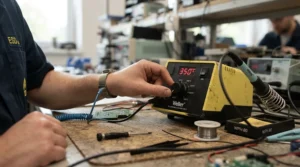
Week one: set up for safety. Park the base on a heat-resistant surface, leave the iron in its stand while it warms, and wait for the temperature to settle. Dampen (don’t drench) the sponge. Soaking it shocks the tip, so wring it nearly dry, or switch to brass wool. Start around 650°F (about 345°C) for leaded solder, or 700–750°F (370–400°C) for lead-free, and adjust from there.
Week two: learn to tin. Melt a bead of solder onto a clean tip until it’s shiny, wipe, and re-tin before you set the iron down. A bright tip transfers heat; a black one just sits there sulking. Practice ten joints on a cheap through-hole kit before touching anything you care about.
Week three: calibrate by feel. With an analog dial, note where your favorite joints land, such as “4 on the Weller WLC100” or “about 11 o’clock on the Yihua 936A.” Write it on tape and stick it beside the base.
Week four: build the maintenance habit. Inspect the cord, check that the tip seats snugly, and confirm that the heater doesn’t flicker. A spare ceramic element is cheap insurance; Hakko lists replacement heaters for its FX-600/601 irons at around $20. Finally, don’t leave the iron on overnight, no matter how many presets or timers your station has.
Common first-month mistakes include cranking the temperature to compensate for a dirty tip, lifting the iron before the solder flows, and skipping eye protection. Fix those three and your joints will look professional sooner than you expect.
Real-World Scenarios: Which Station Fits Which Beginner?
Specs mean little until they meet a real bench. Here are three profiles and the logic behind each match.
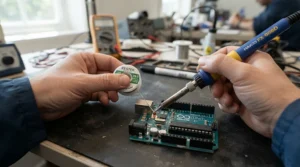
The weekend Arduino builder. Budget: about $60. Environment: kitchen table, two or three hours a week, mostly through-hole parts. The Weller WLC100 keeps things simple, while the Yihua 936A adds a proper temperature range for a bit less money. If you worry about wasting a weekend on a cold iron, the extra heat headroom of the Yihua 936A is the safer play.
The dorm-room student with sensitive ICs. Budget: around $50–$80. Environment: shared desk, lots of rewiring, a handful of static-sensitive parts. This buyer benefits from documented tip grounding, so the Yihua 937D+ (dial plus readout, grounding specs listed) or the X-Tronic 3020-XTS (sleep timer for forgetful evenings, plus a warranty) fit. The Weller WES51 would be ideal here too, if you can find it at a fair price.
The repair hobbyist moving to lead-free. Budget: $100–$150. Environment: a garage bench, older gear with heavy ground planes, several hours a week. Higher melt points demand real wattage and range, which points to the Hakko FX-888DX for repeatable temperatures, or the Hakko FX-601 if you already own a stand and want a lighter handpiece. In both cases, the 480–540°C ceilings leave room to breathe.
Notice the pattern: frequency and failure cost decide the tier. If you solder weekly, pay for stability. If you solder monthly, pay for simplicity.
✨ Don’t Miss These Exclusive Deals!
🔍 Take your analog soldering station for beginners journey to the next level with these carefully selected products. Click on any highlighted item to check current pricing and availability. These tools will help you create clean, shiny joints your projects will thank you for!
How to Choose an Analog Soldering Station for Beginners
Short on time? Here’s the decision path, in order of importance.
- Set your real budget. Count the station plus spare tips, brass wool, and a stand if needed. A cheap base with expensive accessories is no bargain.
- Pick wattage for recovery, not bragging rights. About 50–65W with a ceramic element handles most hobby work, while 40W suits light kit building only.
- Check true temperature control. Ask whether the dial regulates temperature with a sensor or merely adjusts power. The Weller WES51 and Hakko FX-601 use sensors; the Weller WLC100 does not.
- Verify the temperature range. For leaded solder, 350–800°F covers nearly everything. For lead-free, you want headroom to roughly 750°F (400°C).
- Look for ESD documentation. Specific impedance figures beat vague “antistatic” labels.
- Confirm the tip ecosystem. Widely sold tips (like Hakko’s T18 series) mean cheaper replacements and more shapes.
- Read the warranty and support story. A multi-year warranty or responsive US support is real value on budget hardware.
Analog vs Digital Soldering Station: What Actually Changes for Beginners
The analog vs digital soldering station debate often gets framed as old versus new. It’s really precision versus immediacy. An analog dial moves in one smooth twist, which feels almost like riding a bike: you adjust without thinking. A digital station shows an exact number and holds it, which helps when you switch between alloys or tip sizes.
For a first-timer, the analog advantage is learning. A dial forces you to connect heat with results, and it rarely breaks in the middle of a session because there’s less electronics to fail. The digital advantage is repeatability and extras such as presets, sleep timers, and calibration offsets. Cost often decides it: analog options like the Yihua 936A and Weller WLC100 undercut digital stations like the Hakko FX-888DX by a wide margin.
| Factor | Analog Station | Digital Station |
|---|---|---|
| Learning curve | Very low | Low to moderate |
| Temperature repeatability | Approximate | Exact and holdable |
| Extras (presets, sleep) | Rare | Common |
| Typical cost | Lower | Higher |
| Best for | Beginners learning heat feel | Frequent users juggling alloys |
The table says it plainly: analog wins on simplicity and price, digital on consistency. If you’re still deciding whether soldering is “your thing,” the Yihua 937D+ gives you both worlds for a modest premium. If you’re already certain, the Hakko FX-888DX is the long-term answer.
Dial Temperature Control: How It Really Works
Behind that friendly knob sits a potentiometer, a variable resistor that tells the circuit how much heat you want. Weller’s WS51-style stations, for example, describe temperature control via a rotary potentiometer, covering roughly 150–450°C. Simple parts, fewer failure points.
The catch is that dial temperature control isn’t labeled in degrees. The “3” on one station and the “3” on another land in different places, and any dial drifts slightly over time. Treat the markings as suggestions, then verify with a tip thermometer or a known-melt test. Hakko even sells replacement calibration knobs for its FX-600/601 irons, which tells you calibration is a normal maintenance task, not a failure.
A few practical rules help. Make small changes (a quarter turn), wait for the temperature indicator to stabilize, and tape your favorite settings next to the base. If your station has a lock, like the key on the Hakko FX-601, use it once you’ve found a good setting. Mastering dial temperature control early gives you a skill that transfers to any station you ever own.
Thermostat Heating Element: Why It Matters More Than Wattage
Wattage gets all the marketing, but the thermostat heating element decides how a station behaves. In a well-designed pencil, a ceramic heater and a temperature sensor sit together, so the base can measure and correct the tip in real time. Weller describes this heater-and-sensor combination as the reason for quick heat-up and rapid recovery on the Weller WES51, and Hakko makes the same point for the Hakko FX-601, whose sensor sits right in the heater.
Compare that to a simple power-control design like the Weller WLC100. There’s no feedback, so heat depends on how hard you drag the tip across copper. Neither is “wrong,” but closed-loop designs keep you in a narrower temperature window, which protects both components and learners’ confidence.
Two practical notes. First, elements are consumables: Hakko lists replacement heaters for the FX-600/601 family at around $20, and some Aoyue stations ship with a spare. Second, a heater that flickers or runs cool usually points to a worn element or poor tip contact, not a mystery. Learn to swap it and you’ll extend a station’s life by years.
Lead-Free Soldering Station for Hobby Workshops: What You Need to Know
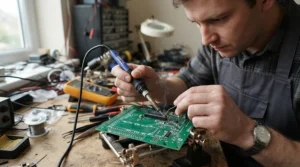
A lead-free soldering station for hobby workshops needs more heat than its leaded cousin. Leaded solder melts around 183°C (361°F), while lead-free alloys typically need roughly 217–227°C (423–441°F), and your tip must sit well above that to flow properly. Harvard’s soldering safety guideline notes that lead-free solder melts at a higher temperature than leaded, so check that your circuit board materials and components can withstand the heat, and that tips can reach levels that cause severe burns.
For this reason, a 40W power-dial station like the Weller WLC100 can feel sluggish with lead-free work, while the Hakko FX-601 and Hakko FX-888DX have the range and recovery to cope. A University of Washington soldering template adds two cautions: lead-free soldering often needs more active fluxes, which can release more irritating fumes, and the main lead exposure route is ingestion through contaminated hands and surfaces.
In practice, a lead-free soldering station for hobby workshops should come with three habits. Ventilate (a small fan or fume extractor), wear safety glasses, and wash your hands before eating. If kids or roommates share the space, lead-free solder is the more considerate default. One more tip: don’t mix alloys on one tip, since cross-contamination dulls performance for both.
ESD Safe Grounding: Protecting Your Parts and Your Projects
Static electricity can quietly kill a microcontroller, which is why ESD safe grounding keeps showing up in station specs. In simple terms, the tip should be tied to ground so any stray charge drains away instead of zapping a component.
Here’s the nuance most listings skip. Hakko’s knowledge base points out that the ANSI/ESD S20.20 standard expects tip-to-ground resistance under 2 ohms, and warns that no station can truly “guarantee” grounding, since resistance can creep in at the tip and handpiece connections. Their advice is blunt: trust, but verify, and test your grounding periodically.
For beginners, this boils down to a short checklist. Choose a station that publishes real numbers (like the Yihua 937D+ with its sub-2Ω tip impedance listing) or documented ESD design (like the Weller WES51 and Hakko FX-888DX). Wear a wrist strap on ESD-sensitive parts, and use a grounded mat if you work on boards regularly. Skip any station that merely says “antistatic” without data. Good ESD safe grounding costs little and prevents the most frustrating failure of all, the board that dies for no visible reason.
Common Mistakes When Buying a Beginner Soldering Station
Even smart shoppers trip over the same few stones.
Buying wattage instead of control. A 100W label on the box doesn’t mean a 100W iron. For example, the Hakko FX-888DX station draws up to 100W, but its included iron is 65W. Read the handpiece spec, not the headline.
Ignoring tip availability. A cheap station with proprietary tips becomes expensive. The Hakko FX-888DX and Hakko FX-601 benefit from widely sold tips, which keep running costs sane.
Trusting “ESD safe” stickers. As noted above, only measured, documented grounding counts.
Skipping the stand. The Hakko FX-601 is an iron, not a station, so budget for a stand.
Buying clones blindly. The Yihua 936A is a solid value, but near-identical clones vary in quality. Buy from sellers with clear return policies.
Forgetting about lead-free. If your workshop will use it, pick a station with headroom up front.
Price Range & Value Analysis: What You’re Really Paying For
Price tells you less than cost of ownership. A budget analog like the Yihua 936A (roughly $35–$50) gets you adjustable heat and cheap consumables. The Weller WLC100 (around $60–$80) adds brand polish with limited range. The X-Tronic 3020-XTS (roughly $50–$70) bundles accessories that would otherwise cost extra, and the Hakko FX-601 (about $80–$100) rewards you with a premium iron if you supply a stand.
The expensive tier changes the math. The Hakko FX-888DX (roughly $125–$150) costs two to three times the budget picks, but replacement tips are modest (Hakko T18 tips run roughly $7–$9 each, T19 about $14), and the platform lasts years. Spread over five years of weekly use, the premium shrinks to pennies per session. Meanwhile, a cheap station that fails in a year and needs replacing costs more in the end.
My value verdict: casual builders should start with a Yihua 936A or Yihua 937D+, regular hobbyists should consider the Hakko FX-888DX, and anyone chasing ESD paperwork should shortlist the Weller WES51 if they find it at a fair price.
FAQ
❓ What temperature should I set for lead-free solder on an analog dial?
❓ How much should a beginner spend on a soldering station?
❓ Do analog soldering stations need calibration?
❓ Is 60W enough for a beginner soldering station?
❓ How often should I replace a soldering iron tip?
Conclusion
Let’s land the plane. An analog soldering station for beginners isn’t a relic; it’s a teacher with a knob. If your budget is tight, the Yihua 936A and Weller WLC100 get you started honestly, with the Yihua 936A offering the wider temperature range. If you want a dial plus clarity, the Yihua 937D+ blends tactile control with an LED readout and published grounding specs. If heat headroom and portability matter, the Hakko FX-601 is a smart iron-only choice, and if you want to buy once and stop thinking, the Hakko FX-888DX sets the benchmark. The Weller WES51 remains a respected closed-loop analog option while stocks last, and the X-Tronic 3020-XTS is the practical bundle for buyers who hate shopping twice.
Whichever you choose, remember the three fundamentals: verify the temperature, ventilate your workspace, and take ESD safe grounding seriously. If you want to understand how tool makers are tested for static safety, ANSI’s overview of the ESD standard for soldering and desoldering tools is a readable next step.
✨ Ready to Start Soldering with Confidence?
🔍 Pick the station that matches your budget and projects, then click any highlighted product to check current pricing and availability. Your first clean, shiny joint is closer than you think!
Recommended for You
- Soldering Station With Extra Tips for Repair Shops: 7 Best in 2026
- T12 Soldering Station for Phone Repair: 7 Best Picks 2026
- Digital Soldering Station for Electronics Repair: 7 Best Picks 2026
Disclaimer: This article contains affiliate links. As an Amazon Associate, I earn from qualifying purchases. If you purchase products through these links, we may earn a small commission at no additional cost to you.
✨ Found this helpful? Share it with your friends! 💬🤗
