
In This Article
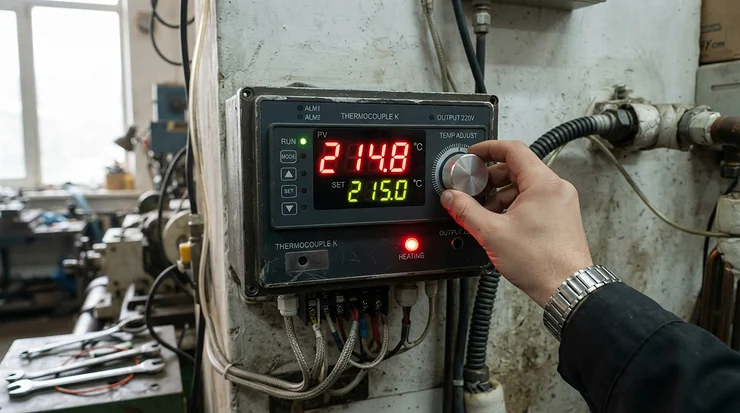
What is a T12 soldering station for phone repair? It is a temperature-controlled soldering system built around Hakko-style T12 cartridge tips, where the heater and temperature sensor sit inside the tip itself, paired with a digital controller. That design heats in seconds, recovers fast between joints, and swaps tips in moments, which is exactly what delicate phone boards demand. ⚡
A phone motherboard is unforgiving. Pads lift if you linger. Flex-cable connectors melt if you rush. Shield cans act like heat sponges. A sluggish iron turns a five-minute charge-port swap into a twenty-minute argument with physics.
That is why the T12 platform has become the quiet workhorse of repair benches. It is cheap to enter, tips are plentiful, and the cartridge idea (heater and sensor in one replaceable piece) gives you quick response without paying JBC prices. If you want the broader craft first, iFixit’s soldering overview and tool guides are a good grounding before you spend a dollar.
Here is the catch: “T12” covers everything from a sub-$50 clone to a genuine Japanese-built station several times that price. The spec sheets look suspiciously alike. The differences show up in control stability, build quality, stand design, and how well the sleep function behaves.
So this guide does the sorting. It covers seven real stations, what their specs mean at the bench, honest aggregated sentiment from owner discussions and published reviews, and practical setup advice that Amazon listings never give you. One note up front: I have not handled these units myself, so everything here is analysis built on specs, published reviews, and community reports. Where evidence is thin, I say so.
Quick Comparison Table: 7 T12 Stations at a Glance
| Station | Control / Display | Standout Trait | Price Range | Best For |
|---|---|---|---|---|
| KSGER T12 STM32 V3.1S | STM32 controller, digital readout | Well-documented budget classic | $30-$50 range | Hobbyists learning phone repair |
| Quicko T12 (OLED) | OLED, 200-480°C claimed | Readable display, boost mode | $30-$45 range | Tight budgets, backup unit |
| Yihua 948DB+ II | Digital, °C/°F toggle | Sleep and auto-shutdown built in | Mid-range, check current price | Safety-minded beginners |
| OSS T12-D Plus | Digital, adjustable sleep/standby | Phone-repair positioning | Mid-range, check current price | Daily phone-board work |
| SUNSHINE T12 ULTRA | Tilted ergonomic body | 30° viewing angle design | Varies by reseller | Long microscope sessions |
| AiXun T3A | Smart control, 200W class | T12 and T245 handle support | $110-$150 range | Growing repair shops |
| Hakko FX-951 | Analog-style genuine station | Lockout card, proven lineage | $250-$300 range | Professionals who want certainty |
Read the table as a ladder. At the bottom, KSGER T12 STM32 V3.1S and Quicko T12 (OLED) give you the cheapest ticket in. In the middle, Yihua 948DB+ II and OSS T12-D Plus add sleep functions and phone-oriented tuning. At the top, AiXun T3A buys raw power and flexibility, while Hakko FX-951 buys consistency and a long service record. SUNSHINE T12 ULTRA is the ergonomic wildcard.
If budget is the hard limit, the two entry-level units are enough to learn on. Anyone doing paid repairs should look hard at the AiXun T3A or Hakko FX-951, because downtime costs more than the price gap.
💬 Just one click — help others make better buying decisions too!😊
Top 7 T12 Soldering Station Picks for Phone Repair: Expert Analysis
1. KSGER T12 STM32 V3.1S — the budget benchmark everyone compares against
The KSGER T12 STM32 V3.1S earned its reputation by being the station other budget stations get measured against. The STM32 microcontroller version is the one forum builders usually recommend, because it handles temperature stabilization better than older chips.
Practically, that means less temperature hunting once you reach your set point, which matters when you are reflowing a connector beside a battery. One long-running review of the V2.1S and V3.1S revisions credits the unit’s popularity largely to its decent power supply, and notes it uses the same T12 tips and the same tip sensor and motion switch as pricier options.
Who is it for? Anyone who wants to learn board-level repair without risking a big outlay. Based on the spec comparison, it is a sensible first station, but it is a bit bare: basic display, no frills.
Owner discussions are mixed in an honest way. Many hobbyists are happy with it, while some forum voices distrust budget T12 builds on reliability. A community wiki entry advises grounding the case before use, so treat basic electrical checks as part of the purchase, not an optional extra.
Pros:
- ✅ STM32 version stabilizes temperature well
- ✅ Uses the huge T12 tip ecosystem
- ✅ Extensive community documentation and support
Cons:
- ❌ Basic display and build quality
- ❌ Some owners recommend grounding the case
Expect a price in the $30-$50 range. Verdict: excellent value if you accept entry-level fit and finish.
2. Quicko T12 (OLED) — easiest-to-read display at bargain money
The Quicko T12 line trades on its OLED readout. Seller listings advertise a heat-up to 300°C in about 8 seconds, a 200-480°C range, roughly 72W output, boost, auto-sleep, and an aluminum case.
Treat the 8-second figure as the seller’s claim, not a lab result. In practice, what matters is that boost mode lets you throw extra power at a stubborn ground plane, while a bright OLED saves squinting under a microscope lamp. A forum comparison of KSGER versus Quicko notes that OLED-equipped Quicko units are preferred for visibility, while the KSGER STM32 board gets the nod for temperature stabilization.
That split tells you what to expect: the Quicko T12 is a better dashboard, the KSGER a slightly better brain. Reliability opinions are the weak spot; some forum posters call Quicko-style stations a gamble and recommend inspecting internals.
Pros:
- ✅ Clear OLED shows set and actual temperature
- ✅ Boost and auto-sleep included
- ✅ Very low entry price
Cons:
- ❌ Reliability reports are inconsistent
- ❌ Internal safety checks advised by some owners
Price lands around the $30-$45 range. Verdict: a fine backup or learner unit, not a shop’s main workhorse.
3. Yihua 948DB+ II — sleep and auto-shutdown for cautious beginners
The Yihua 948DB+ II is listed on Amazon as a kit compatible with T12 tips, shipping with three tips, a °C/°F toggle, sleep mode, and auto-shutdown. That is a “safety first” feature set, aimed at people who occasionally walk away from a hot iron.
On a phone-repair bench, auto-shutdown is more valuable than it sounds. Repair sessions get interrupted by customers, calls, and parts hunts. An iron that drops to standby protects your tips and your desk.
Yihua is the best-known name in this middle band, and comparison guides often group it with Quicko as a mid-range staple. What I could not verify is whether its build is meaningfully tougher than the clones. One forum poster asked exactly that, with no definitive answer in the thread, so be wary of anyone claiming certainty.
Based on features alone, it suits people who value guardrails over raw speed. If you work in a shared space, the sleep behavior is a quiet selling point.
Pros:
- ✅ Sleep and auto-shutdown protect tips
- ✅ Ships with three tips
- ✅ °C/°F switch for any user
Cons:
- ❌ Build advantage over clones unverified
- ❌ Not tuned specifically for micro-scale work
Expect a mid-range price, roughly $50-$80, so check current price. Verdict: solid for cautious beginners.
4. OSS T12-D Plus — a phone-repair-first station with adjustable sleep
The OSS T12-D Plus appeared on Amazon in March 2026 and is marketed directly at mobile-motherboard work: flying wires, chip removal, and similar jobs. The listing highlights automatic sleep, rapid temperature recovery, and adjustable sleep and standby times.
Adjustable sleep timing is the interesting part. Short standby windows suit rapid-fire bench work, while longer ones stop the iron from napping mid-diagnosis. It is a small customization that most budget units omit.
Because it is a brand-new listing, there is little long-term owner data. I would not claim durability in either direction. A sibling, the OSS T12-X Plus, shows up in technician roundups as a budget pick for mobile repair, which suggests the brand has traction in repair circles, but that is category praise, not proof for this exact model.
If you buy it, test the temperature against a known reference before trusting the number on the display.
Pros:
- ✅ Marketed specifically for phone-board work
- ✅ Adjustable sleep and standby timing
- ✅ Recent model with current features
Cons:
- ❌ Very little long-term owner data
- ❌ Listing details are thinner than established brands
Pricing is mid-range; check current price. Verdict: promising for daily phone work, but buy cautiously until reviews accumulate.
5. SUNSHINE T12 ULTRA — the ergonomic tilt for long microscope sessions
The SUNSHINE T12 ULTRA differentiates on posture. The manufacturer describes a 30° ergonomic tilt, intended to keep you upright with a clear view, and positions it for chip repair, motherboard soldering, flex-cable work, and component replacement.
An hour-long reball session punishes your neck more than your hands. A tilted body that keeps the display visible without craning is a real, if unglamorous, benefit. The brand sits in the phone-repair parts ecosystem alongside other micro-soldering stations, so spare parts and tips are likely easier to find through those channels.
What I could not verify: independent third-party reviews with test data. The brand’s own page is the main source, so treat performance claims cautiously. If you are mostly buying for ergonomics and a phone-focused feature set, it deserves a look. If you are buying on proven temperature stability, the older clones and the Hakko FX-951 have longer records.
Pros:
- ✅ 30° tilt improves viewing posture
- ✅ Positioned for phone motherboard tasks
- ✅ Fits the phone-repair supply channel
Cons:
- ❌ Few independent reviews available
- ❌ Pricing varies widely by reseller
Check current price. Verdict: a niche pick for ergonomics-minded repairers.
6. AiXun T3A — 200W power with T12 and T245 handle support
The AiXun T3A is billed as a 200W intelligent station that works with both T12 and T245 handles. That flexibility is its signature: start with T12 for fine work, move to the larger cartridge system for heavy ground planes.
An owner on a long-running forum thread reported heat-up in two to three seconds compared with a T12 clone. Oscar Liang’s detailed T3A review also describes it as a speed demon on heat-up and praises the uncluttered interface, though he recommends upgrading from the basic stand to the “Smart Cradle” because the stock stand falls short of the main unit’s quality.
That detail matters. A hot iron resting on a flimsy stand is a recipe for a dropped tip. Budget for the better cradle if you choose this model.
Forum builders often call the T3A a strong all-rounder, though some note it costs well over $100, which is a leap from the clones.
Pros:
- ✅ Very fast heat-up reported by owners
- ✅ Supports both T12 and T245 handles
- ✅ Clean, simple user interface
Cons:
- ❌ Stock stand is underwhelming
- ❌ Costs several times a clone
Expect the $110-$150 range. Verdict: the best step-up for people turning repair into income.
7. Hakko FX-951 — the genuine-article benchmark
The Hakko FX-951 is the origin story of the T12 style. Published specs show 75W power, a 200-450°C range, a low-temperature alarm, a lockout key card to prevent accidental setting changes, and auto shutoff after 30 minutes of non-use, with sleep behavior when used with the FH200-01 stand. Tips are sold separately.
Why does the lockout card matter on a phone bench? Because in a shared shop, someone bumping the dial to 450°C can cook a daughterboard. A locked setting is cheap insurance.
Trade press reports one customer saying FX-951 units bought fifteen years earlier were still in service. That is a vendor-relayed anecdote, so weigh it accordingly, but it fits the station’s reputation for longevity. One caution: handpiece and tip series vary by region (the North American kit ships with the FM-2027), so confirm which tips your exact kit takes before ordering spares.
Pros:
- ✅ Lockout card and low-temperature alarm
- ✅ Reputation for long service life
- ✅ Genuine tips and strong thermal recovery
Cons:
- ❌ Several times the price of clones
- ❌ Tips sold separately
Expect roughly the $250-$300 range. Verdict: worth it for professionals who cannot afford surprises.
Practical Setup and 30-Day Maintenance Plan for Your New Station
A cartridge station does not need much, but the first month decides how long your tips live. Here is the routine that matters. 🔧
Day one. Plug in, set the temperature low, and tin the tip with fresh solder before you do anything else. A dry tip oxidizes fast. Verify the case is grounded if the unit has any reputation for floating chassis, as some budget builds do.
Calibrate early. Clone stations can display numbers that wander from reality. Use a tip thermometer or the station’s calibration function, if it has one, and record the offset in a note taped to the bench.
Choose your starter tips. Most phone work lives on a fine conical or a small chisel. Many repairers cover the bulk of jobs with two or three sizes, so resist buying a forty-piece tip set you will never open.
Tip care. Clean on brass wool instead of a wet sponge, because sponges thermally shock the tip. Always tin before putting the iron back in its stand. Never leave a cartridge at full heat idling for hours.
Weekly. Check the handle cable for kinks, wipe flux residue off the stand, and look for loose tip seating. A wobbly cartridge changes contact pressure and can mimic a failing heater.
Common first-month mistakes. Running the iron too hot because the tip is dirty is the big one. A contaminated tip needs cleaning, not extra degrees. Next comes pressing hard, which wears pads and tips without improving heat transfer. The third is skipping flux. Flux is cheaper than a lifted pad.
Real-World Scenarios: Which T12 Station Fits Which Repairer
Specs only become useful when you map them to a life. Three profiles follow.
The weekend tinkerer. You fix a cracked-port phone for a friend now and then, and your bench is a corner desk. Budget is under $60, tolerance for tweaking is high. The KSGER T12 STM32 V3.1S is the logical fit: cheap, well documented, and forgiving of experimentation. Add a proper stand and a fume fan with the money you save over pricier stations.
The side-hustle repairer. You take five to ten phones a week, mostly screens, batteries, and charge ports, with the occasional board job. Uptime matters, and a dead iron costs you a customer. The AiXun T3A or OSS T12-D Plus suits you. The AiXun T3A gives you headroom and fast heating, while the OSS T12-D Plus costs less and targets phone work directly.
The shop owner with technicians. Multiple hands touch the same station, and consistency is your product. The Hakko FX-951 earns its price here, because the lockout card prevents accidental changes and its long service record reduces replacement risk. Pair it with a dedicated hot-air station for BGA work.
In all three cases, the pattern is the same: spend for reliability in proportion to how much money rides on the bench.
Problem and Solution Guide: Fixing Common T12 Phone-Repair Frustrations
Problem 1: The tip will not stay tinned. Likely cause: too much heat, or flux-free soldering. Fix: lower the set temperature, clean with brass wool, retin immediately, and use flux liberally.
Problem 2: Temperature reads right but joints look cold. Likely cause: poor thermal contact or a large heat sink beneath the pad. Fix: use a chisel tip with more contact area, add flux, and preheat the board with a hot-air station. A Quicko T12 or KSGER will behave the same way here, because physics does not care about the logo.
Problem 3: The display flickers or readings jump. Likely cause: a loose cartridge or an unstable power supply. Fix: reseat the tip, check the connector pins, and try another outlet. If it persists on a budget unit, inspect the internals, since some community owners recommend that.
Problem 4: The station sleeps at the wrong moments. Likely cause: the motion sensor is reading tiny vibrations or the handle sits in an odd stand position. Fix: adjust the sleep delay if your station allows it, as the OSS T12-D Plus does, and park the handle consistently.
Problem 5: Tips die in weeks. Likely cause: leaving the iron hot and idle, plus overly high temperature. Fix: use sleep, lower the set point, and always tin before parking.
How to Choose a T12 Soldering Station for Phone Repair
Here are the steps that matter, in the order I would weigh them.
- Decide your budget band first. Entry clones, mid-range kits, and premium stations behave differently, and your income from repairs should set the ceiling.
- Confirm genuine T12 compatibility. Check that the handle and cartridge family match before ordering spare tips.
- Prioritize thermal recovery over peak wattage. Recovery between joints affects phone boards more than a headline number.
- Look for a trustworthy sleep function. Auto-sleep protects tips; adjustable timing is a bonus.
- Inspect the stand and cable. A poor stand is a daily hazard, as the AiXun T3A review notes.
- Check calibration options. Without calibration support, you are trusting a stranger’s factory setting.
- Plan for ventilation. Whatever you buy, budget a fume extractor.
T12 Soldering Station for Small Workbench: Footprint, Cable, and Layout Tips
A phone repairer’s desk is usually crowded: microscope, hot-air station, power supply, ultrasonic cleaner. A T12 soldering station for small workbench setups wins by being compact. Most T12 controllers are tiny compared with multi-port rework stations, and the Hakko FX-951 is described at roughly 80 x 130 x 131 mm in one listing, which is about the size of a thick paperback.
Layout matters more than raw size. Keep the controller where you can see it without turning your head, and put the stand on your dominant-hand side. Route the cable behind the microscope arm so it cannot snag. If you use an ergonomic tilted unit like the SUNSHINE T12 ULTRA, check how much vertical room it needs beneath a shelf or monitor riser.
Weight is also practical. A light controller can creep across the desk when you yank the handle cable, while a heavier base stays put. Non-slip feet or a silicone mat solve this for pennies.
Soldering Station for Micro Soldering: T12 or C210?
Here is the honest truth: T12 is a general-purpose champion, not a pure micro specialist. A repair-focused comparison from one tool vendor concludes that T12 suits affordable, flexible work on general PCBs, wires, and connectors, while C210-class cartridges are easier to justify when motherboard repair is a core service.
| Factor | T12 | C210 / C115 class | Best For |
|---|---|---|---|
| Tip variety | Very wide, cheap | Narrower, pricier | T12 for experimenting |
| Fine pad work | Good with small tips | Better for tiny SMD | C210 for dedicated micro work |
| Station cost | Low to mid | Mid to high (such as the Sugon T3602) | T12 for budgets |
| General repair coverage | Excellent | Specialist | T12 for mixed jobs |
Looking at the comparison, T12 wins for mixed work and cost, while C210 wins where precision on ultra-small pads is the main job. A shop that outsources board-level repair rarely needs the extra expense, but a micro-soldering specialist will feel the difference quickly. The pragmatic route for many shops is T12 first, then adding a C210 station once board work becomes routine.
If you are weighing a soldering station for micro soldering on a T12 platform, pick the smallest high-quality conical tips you can find and keep your temperature as low as the solder allows. A deeper explanation of how irons work is in this soldering iron overview on Wikipedia.
✨ Don’t Miss These Exclusive Deals!
🔍 Ready to upgrade your bench? Browse these carefully selected stations, click any highlighted product name to check current pricing and availability, and set up a phone-repair station your customers will notice in the results. 🛠️
Cartridge Style Tips: What You Actually Gain
Cartridge style tips combine the heating element, temperature sensor, and tip into one replaceable piece. That integration is the whole trick. Because the sensor sits millimeters from the solder, the controller sees temperature changes almost instantly and responds before the joint cools.
For phone repair, three benefits stand out. First, tip changes are quick, so switching from a fine conical to a drag-soldering hoof does not cost minutes. Second, thermal mass is low, so the tip heats fast. Third, you can buy a few shapes and cover most jobs.
The trade-off is cost per tip. A conventional tip is cheaper but slower. Quality also varies among clone cartridges, so buy from sellers who describe their sensors and heaters clearly. Forum builders often mention good results with Hakko-clone T12 tips, but treat that as anecdotal.
Practical advice: start with a conical, a small chisel, and a knife or hoof. That trio handles charge ports, small connectors, and drag-soldering fine pitch pins.
Fast Thermal Recovery: The Spec That Quietly Decides Your Results
Fast thermal recovery is how quickly the tip returns to its set temperature after touching a cold joint. It matters more than peak wattage, because phone boards are full of copper planes that suck heat away.
A slow recovery forces you to hold the iron longer, which risks lifted pads and cooked components. A fast one lets you tap, flow, and leave. The AiXun T3A is the standout here, with a forum owner reporting two-to-three-second heat-up, and the Hakko FX-951 is marketed on its heat transfer and recovery. Budget stations like the Quicko T12 advertise speed too, but those are seller claims.
How to judge it yourself: set 350°C, touch a heavy ground pad, and watch the displayed temperature. A small dip that rebounds quickly is a good sign. A deep sag that lingers suggests limited power or poor sensor contact. Run the same test on any station you buy and record the result.
Motion Sensor Sleep: Helpful Feature or Annoying Gimmick?
Motion sensor sleep puts the iron into low-temperature standby when the handle sits still or rests in its stand, then wakes it when you pick it up. On a phone bench, it prolongs tip life and reduces fire risk.
Implementations differ. Some stations use a vibration switch in the handle, as the KSGER design does, while premium stations such as the Hakko FX-951 rely on a stand-based sleep arrangement. The OSS T12-D Plus lets you adjust sleep and standby timing, which is the friendliest approach, because you can tune it to your pace.
What to watch for: an overly sensitive sensor can wake from desk vibration, and a sluggish one can leave you waiting for heat. Test it by setting the iron down mid-job and picking it back up. If you hate the behavior and cannot adjust it, choose a station with a disable option. Used well, motion sensor sleep is among the most cost-effective features in the whole category.
Soldering Safety: Fumes, Flux, and Electrical Basics
Fast irons are only half the story; breathing clean air is the other half. 🫁
Heated rosin-based flux releases fumes that can irritate the eyes, nose, and throat, and repeated exposure can contribute to occupational asthma. MIT’s environmental health office advises that even people who solder only occasionally should use fans or local exhaust ventilation, and it details capture options such as snorkel-style hoods in its soldering safety guidance.
Practical steps for a home or shop bench: use a small fume extractor positioned close to the work, choose lead-free solder where practical, wash your hands after handling solder, and keep flammable cleaners away from the iron. Yale’s guidance also advises using lead-free solder and rosin-free flux whenever possible and inspecting irons and cords before use.
On the electrical side, budget stations deserve a quick inspection. Check that the case is properly earthed if the design is known to need it, as one community wiki suggests for a popular clone. A grounded station also protects sensitive boards from stray voltage.
Long-Term Cost and Value: What Each Tier Really Costs You
| Tier | Example | Entry Price | Hidden Costs | Best For |
|---|---|---|---|---|
| Budget | KSGER T12 STM32 V3.1S, Quicko T12 | $30-$50 range | Stand upgrade, inspection time | Learners |
| Mid | Yihua 948DB+ II, OSS T12-D Plus | Roughly $50-$160 range | Tip sets | Daily hobby use |
| Step-up | AiXun T3A | $110-$150 range | Better cradle | Side-hustle shops |
| Premium | Hakko FX-951 | $250-$300 range | Tips sold separately | Professionals |
The table shows that sticker price understates the real cost. A cheap station that fails in a year costs more than a pricier one that lasts a decade, once you count downtime. The Hakko FX-951 is expensive up front, but vendor-relayed reports of fifteen-year service suggest a low cost per year, assuming that reputation holds for your unit.
For a hobbyist, the budget tier wins on pure cost-per-use. For a paid repairer, the break-even is quick: one avoided failure during a busy week can repay the price gap. Tips are the recurring expense in every tier, so factor in a handful of spare cartridges each year.
FAQ: T12 Soldering Station for Phone Repair
❓ Is a T12 station accurate enough for iPhone logic board repair?
❓ What temperature should I set for phone boards?
❓ Can a T12 station replace a hot air rework station?
❓ Are clone T12 tips compatible with genuine Hakko handles?
❓ How long do T12 cartridge tips usually last?
Conclusion: Which T12 Soldering Station for Phone Repair Should You Buy?
Here is the short version. 🎯
If you are starting out, grab the KSGER T12 STM32 V3.1S or the Quicko T12 (OLED), accept the basics, and invest the savings in a fume extractor and good flux. If you want guardrails, the Yihua 948DB+ II and OSS T12-D Plus give you sleep functions and phone-oriented positioning. If ergonomics is your pain point, look at the SUNSHINE T12 ULTRA. If repairs earn you money every week, the AiXun T3A is the strongest step-up, and the Hakko FX-951 is the safest long-term bet.
Whatever you choose, remember the three truths of this category: recovery beats raw wattage, tip care beats tip count, and ventilation beats everything you forgot to buy. A T12 soldering station for phone repair is not magic, but in the right hands it turns delicate board work from a gamble into a routine. Pick the station that matches how you actually work, and check current prices and availability before you buy.
Recommended for You
- Soldering Station With Extra Tips for Repair Shops: 7 Best in 2026
- Analog Soldering Station for Beginners: 7 Proven Picks (2026)
- Digital Soldering Station for Electronics Repair: 7 Best Picks 2026
Disclaimer: This article contains affiliate links. As an Amazon Associate, I earn from qualifying purchases. If you purchase products through these links, we may earn a small commission at no additional cost to you.
✨ Found this helpful? Share it with your friends! 💬🤗
